
Chapter 1 Fundamentals
|
1.1 Type System
C++ is a statically typed language: once a variable’s type is declared, it cannot be changed.
It is recommended to use explicit type conversion operators, such asstatic_cast、dynamic_cast``、reinterpret_cast和const_cast
Type Alias with using
using Zeros = std::pair<double, double>; |
Type Deduction with auto
auto result = solveQuadratic(a, b, c); |
Do not specify the type, let the compiler infer the specific type.But we need to explicitly specify the type of the return value.
std::optional
std::optional<T> is a template class that can wrap a value of type T that may or may not exist.
Contains a value: Holds a valid value of type T
Does not contain a value: Holds no value, in which case it is
std::nullopthas_value()(oroperator bool()): Checks whether it contains a value
When using these built-in types, we must add the prefix `std::`
1.2 Structs
|
1.3 Initialization
|
Tips: Try to delay the timing of variable definitions as much as possible.
1.4 Strings
Three methods of initialization, similar to the previous content.
string str = "Hello"; |
Read an entire line of string.
Before using getline, you should first use cin.get() to read the newline character (the function of this is to read a single character).
cin.get(); |
Get length
int len = s.length(); |
Constructor:
Take the first len characters to construct a string.
string(const char *cp, int len); |
From s2, construct a new string starting from position pos to the end.
string(const string& s2, int pos); |
Construct a new string of length len from s2 starting at position pos to the end.
string(const string& s2, int pos, int len); |
Get substring
substr(int pos, int len); |
Change the string
Insert string s at position pos.
insert(size_t pos, const string& s); |
Starting from position pos, delete len characters (npos defaults to deleting until the end).
erase(size_t pos = 0, size_t len = npos); |
Append a string at the end.
append(const string& str); |
Starting from pos, replace len characters with str.
replace(size_t pos, size_t len, const string& str); |
Find the string
In the current string, starting from position pos, find the first occurrence of substring str.
If found, return the position (index); if not found, return npos
size_t find(const string& str, size_t pos = 0) const; |
When writing C++ code, it is highly recommended to use
nullptrto representNULLwhen using pointers.
1.5 Reference
We can understand a reference as another name, or alias, created for an already existing memory object.
Pass by Reference
The modification of n by squareN directly acts on num.
|
Structured Binding and Reference
When using structured bindings in a for loop to unpack elements such as std::pair or std::tuple, it is important to consider: do we want to modify the elements in the original container?
The ‘&’ in the first line binds to a copy of the element, while the ‘&’ in the third line binds to the element itself.
void shift_correct(std::vector<std::pair<int, int>>& nums) |
Left Value Reference
L-Value:
Refers to objects that persist after expression evaluation and have identifiable memory locations
Can appear on the left side of the assignment operator (=) (as the assignment target) or on the right side (as the source of the value)
R-Value:
Typically refers to temporary values or literal constants that do not persist after expression evaluation
Usually can only appear on the right side of the assignment operator
Rules for Lvalue References:
Must be initialized
Binding cannot be changed
The target of the reference must have a definite memory location
int squareN(int& num) { |
Since a reference itself is not an object whose address can be obtained:
- Conceptually, there is no direct “reference to a reference” type; references “collapse.”
- There cannot be pointers to references.
- There cannot be arrays of references, but there can be “references to arrays.”
Right Value Reference
Rvalue references, denoted by T&&, can bind to rvalues (temporary objects) that are about to be destroyed, thereby allowing us to “steal” the resources of these temporary objects.
// Correct: The result of x * 2 is an rvalue (temporary expression result) |
1.6 Dynamically Allocated Memory
new:Allocate memory space for the runtime program and call one or more constructors on that memory
int *p = new int(2); |
delete:First, call one or more destructors in the memory space, then release the memory.
delete p; |
`char **argv` means "pointer to a pointer to a character", and `int atoi(argv[1])` is used to convert a string to an integer.
Chapter 2 STL Containers
2.1 Containers
Vector
|
Lists
// Essentially, it is a doubly linked list. |
If the program has many small elements and has high space requirements, do not use list;
If the program requires random access to elements, then use vector or deque;
If the program needs to insert elements in the middle of the container, then use list; if the program only needs to insert elements at the beginning and end, without needing to insert in the middle, then use deque.
Maps
Used to store elements consisting of keys and their mapped values, arranged in a specific order.
The elements stored in std::map<K, V> are of type std::pair<const K, V>.
std::map<std::string, int> m |
maprequires that keys must support the operator<
Think of a
setas amapwithout values; additionally, asetperforms deduplication.
2.2 Iterators
auto it = c.begin(); |
++itandit++(where it is an iterator)
The former is more efficient, because it returns a reference to the same object (updated in place), while the latter returns a copy of the old value.
It is not difficult to see that the interface of an iterator also exists in pointers—we can think of iterators as a special type of pointer that operates exclusively on containers.
Chapter 3 Classes and Objects
3.1 Declaration and Definition
A basic class should include:
- Constructor
- Private member functions / variables
- Public member functions (user-facing interface)
- Destructor
The keyword
thisrefers to a pointer to the object itself, and is frequently used in the implementation of member functions.
special member functions (SMF): code is automatically generated when they are called
- Default constructor: T()
- Destructor: ~T()
- Copy constructor: T(const T&)
- Copy assignment operator: T& operator=(const T&)
- Move constructor: T(T&&)
- Move assignment operator: T& operator=(T&&)
If you want all parameters of a function (including the hidden
thisin member functions) to support type conversion, then the function must be a non-member function.
Header Files and Source Files
.h header files are used to define interfaces: Typically include: function prototypes, class declarations, type definitions, macros, constants, external variables.
#include "xx.h": First searches the current directory, then looks in system directories#include <xx.h>/#include <xx>: Directly searches system directories
// To prevent the header file content from being included multiple times |
.cpp source files generally implement functions or classes
- The compiler looks at only one .cpp file at a time and compiles it into a .obj file
- The linker links all .obj files into an executable file
Access Control
Access specifiers provided by C++:
public: Can be accessed by any objectprotected: Can only be accessed within the class and its derived classesprivate: Can only be accessed within the class
Classes default to private, while structs default to public
class zjuID |
We should declare all member variables as
private
Initialization and Clean-Up
constructor (ctor): The name is the same as the class name, and there is no need to specify the return type.
// These two types of constructors can coexist simultaneously. |
destructor (dtor): Function name = ~ + class name, no parameters required, and similarly no return type
- The order of destruction is the reverse of the order of construction.
Getters and Setters
// getter: Functions for reading member variables |
3.2 Friends
Friend declaration within a class allows external classes or functions to access the private or protected members of that class.
// Friend function |
3.3 Scope and Lifetime
Local Objects
fields: Variables defined inside a class but outside of functions.
parameters: Variables in the declaration of a function or method, used to receive values passed from outside.
local variables: Variables defined inside a function or code block, used for temporary calculations or intermediate states.
Global Objects
The constructor of global objects needs to be called before entering the main() function, and the destructor is called when main() exits or exit() is invoked.
Static
non-local static object:
- Defined in global or namespace scope
- Declared as static variables within a class or file scope
Static
- Basic meaning: static storage (persistent), restricted access (hidden)
- Usage scenarios
- Global variables: scope limited to the current file
- Local variables: lifetime spans the entire program runtime
- Member variables/functions: belong to the class itself, declared inside the class, defined outside the class.It does not belong to any object, so the this pointer cannot be used on it.
class CostEstimate
{
private:
    static const double cost;
    // ...
};
const double CostEstimate::cost = 1.35;
3.4 Constants (Cannot be modified)
Modify Variables
- The compiler attempts to avoid creating memory space for
constvariables, but if theexternkeyword is used in front, it forces the compiler to allocate memory space.
// Solution for initializing class member variables in the constructor |
Modify Pointers
const int* p1/int const* p1: The value pointed to byp1cannot be modified, butp1itself can be modified.int* const p2:p2itself cannot be modified, but the value it points to can be modified.
Modify Function Parameters
void foo(const int& x): Prevents the function from modifying the passed parameter.
Modify Return Values
const std::string& getStr(): If returning a pointer or reference,constcan be added to prevent unintended modifications.
Modify member functions
class A |
- At this point, the member function cannot modify member variables and can only call other
constmember functions. - This
constmodifies thethispointer. - Function overloading: You can create two versions of the same member function—one decorated with
constand one without. First, define aconstversion of the function, and then have the non-constversion call this function.template <typename T>
const T& Vector<T>::findElement(const T& value) const
{
for (size_t i = 0; i < logical_size; i++)
{
if (elems[i] == value) return elems[i];
}
throw std::out_of_range("Element not found");
}
template <typename T>
T& Vector<T>::findElement(const T& value)
{
return const_cast<T&>(static_cast<const Vector<T>&>(*this).findElement(value));
}
3.5 Composition
A class uses an object of another class as its member variable, organizing and reusing its code, thereby “possessing” the functionality of the other class.
Method 1: Value Composition / Embedded Objects
class A |
Method 2: Reference / Pointer Combination
3.6 Inheritance
Create a new class (called a derived class or subclass) based on an existing class (called a base class or superclass). The derived class automatically inherits the attributes and methods of the base class.
// Base class |
The content that can be inherited includes:
- Member variables
publicorprotectedmember functions- Static members: Their scope remains within the class.
Content that cannot be directly inherited includes:
- Constructors
- Destructors
- Assignment operators
Assuming class B is a derived class of class A, then:
| Inheritance Type | public |
protected |
private |
|---|---|---|---|
public A |
Public in B | Protected in B | Hidden |
private A |
Private in B | Private in B | Hidden |
protected A |
Protected in B | Protected in B | Hidden |
3.7 Polymorphism
Its core idea is “one interface, multiple implementations.”
Subclassing and Subtyping
public inheritance: establishes an “is-a” relationship and allows implicit type conversion from derived class to base class
Liskov Substitution Principle (LSP): derived classes must also be behaviorally compatible with the base class
A derived class cannot strengthen the preconditions of a base class method (i.e., impose stricter input requirements)
A derived class cannot weaken the postconditions of a base class method (i.e., provide fewer guarantees on output)
A derived class must maintain the invariants of the base class
Upcasting
Convert a pointer or reference of a derived class to a pointer or reference of a base class.
class Animal {}; |
Only
virtualallowsoverride.
Dynamic Binding (Late Binding / Runtime Binding)
The mechanism that determines which version of a member function to call based on the actual object type pointed to by a pointer or reference during program execution.
The conditions for this to occur are:
- The call must be made through a pointer or reference to a base class.
- The called member function must be declared as
virtualin the base class.
static binding: During compilation, the specific function to be called has already been determined based on the declared type of the pointer or reference.
Virtual functions allow subclasses to override the behavior of the base class and determine which version of the function to call at runtime based on the actual type of the object.
class Shape { |
If a derived class object is deleted through a base class pointer, and the base class destructor is not virtual, then only the base class destructor will be called, resulting in a “partially destroyed” object.
Therefore, if a class is intended to be used as a base class and derived class objects may later be deleted through a base class pointer, its destructor must be declared as virtual.
class Base { |
Never call virtual functions in constructors or destructors.
Never redefine inherited default parameter values.
Alternatives / Enhancements for Virtual Functions
- Non-Virtual Interface (NVI) method: It is a template method
- Strategy pattern: The core idea is to decouple the algorithm (strategy) from the context that uses it and make it interchangeable.
The purpose of overriding is to provide a function in a subclass that has exactly the same signature as a virtual function in the base class, in order to implement its own specific behavior.
- Function signature: The name, parameter list, and
constmodifier must be strictly consistent - The base class function must be
virtual, and it is recommended to also writevirtualwhen overriding in a derived class
class Base { |
Covariant return types: If a base class virtual function returns Base* or Base&, a derived class can override it to return Derived* or Derived& (where Derived inherits from Base).
class Document { |
The access level of a derived class’s overridden function cannot be more restrictive than that of the base class.
name hiding:
class Base { |
Abstract Classes
A class that contains at least one pure virtual function
Pure virtual function: Adding = 0 at the end of the declaration indicates that the function has no implementation and must be provided by a derived class
// Shape is an abstract class |
Its function is to provide a unified interface specification, forcing subclasses to implement it.
3.8 Inheritance of Interface and Implementation
Inheritance can be divided into interface inheritance and implementation inheritance.
| Type | What You Inherit | Can It Be Changed? | Essential Meaning |
|---|---|---|---|
| Pure Virtual Function | Only the “rule” | Must implement yourself | Only defines the interface |
| Virtual Function | Rule + default implementation | Can be changed | Has default behavior |
| Non-Virtual Function | Rule + enforced implementation | Cannot be changed | No variation allowed |
Multiple inheritance refers to a mechanism where a class can inherit from multiple base classes simultaneously.
- Implementing multiple interfaces: A class can satisfy multiple different contracts at the same time. When encountering members with the same name inherited from different base classes, we need to manually specify which base class’s member to use.
class Clickable { |
- Mixed inheritance: inheriting from a concrete base class while implementing one or more interfaces.
Diamond Problem: When a class inherits from the same indirect base class through different paths, multiple copies of the base class’s members exist in the derived class, leading to ambiguity in access.
The solution to this problem is to use virtual inheritance, i.e., applying the virtual keyword when the intermediate classes inherit from the common base class.
class Top { public: int value; }; |
Design Principles for Inheritance and Polymorphism
- Prefer composition over inheritance
- Use multiple inheritance with caution
- Beware of default parameters in virtual functions
- Do not call virtual functions in constructors/destructors
Chapter 4 Functions
4.1 Parameter Passing
Generally, functions use pass-by-value. In this case, function parameters are initialized with copies of the actual arguments, and these copies are generated through the object’s copy constructor, which makes pass-by-value relatively costly.
bool validateStudent(Student s); |
We can avoid these copy constructors and destructors by using pass by reference-to-const, which passes the actual argument itself without creating a copy. Additionally, the const modifier indicates that the function cannot modify the parameter, so there is no need to worry about altering the actual argument.
bool validateStudent(const Student& s); |
Passing by constant reference can also avoid the slicing problem: when a derived class object is passed by value to a base class object, the base class’s copy constructor is called, which causes the derived class-specific parts to be discarded, retaining only the base class components.
For built-in types (such as int, double, etc.) or small user-defined classes, passing by value may be more efficient. After all, the underlying implementation of references is pointers, and pointers themselves also occupy a significant amount of space.
4.2 Function Return
Functions have two ways to create new objects: on the stack or on the heap.
Local variables are created on the stack. Before a function exits, all local variables created inside the function will be destroyed.
Objects created with
neware based on the heap.Do not attempt to return a local static object. Since such an object exists throughout the entire program’s lifecycle, if multiple places need to use this object, they are actually pointing to the same object.
Handles: Things like pointers and references that can represent the internal data of an object refer to any identifier or reference that can be used to access or manipulate another entity (such as an object, resource, file, etc.).
In short: Unless you are absolutely certain, a function should return a complete object rather than a handle to that object.
4.3 Overloaded Functions
Function overloading: It allows us to define multiple functions with the same name, as long as their parameter lists differ in type, number, or order. The compiler automatically selects the best matching function version based on the arguments provided at the call, and can perform appropriate automatic type conversions.
Destructors must not be overloaded!
Delegating Constructors
When designing a class, it is sometimes encountered that multiple constructors contain a large amount of repetitive initialization code, which is generally considered a bad practice known as code duplication.
C++11 introduced delegating constructors to address this issue: a constructor can call another constructor of the same class in its member initializer list, thereby “delegating” common initialization tasks to it. This can form a delegation chain.
class class_c { |
4.4 Default Arguments
Default arguments: Values specified for parameters when declaring a function
When defining a function’s parameter list, default parameters must be specified from right to left. That is, if a parameter has a default value, all parameters to its right must also have default values.
int harpo(int n, int m = 4, int j = 5); |
Default parameters should be specified in the function declaration (prototype). If a function has both a declaration and a definition (in different locations), the default parameters should not be repeated in the definition.
The best practice is to place function declarations with default parameters in header files.
// Example_MyClass.h |
// Example_MyClass.cpp |
4.5 Inline Functions
Problems with regular functions: overhead of function calls
- Pushing arguments onto the stack
- Pushing the return address onto the stack
- Jumping to the function’s code location
- (After the function executes) preparing the return value
- Restoring the stack, popping the previously pushed content, and returning control to the caller
Inline functions: directly “embed” or “expand” the function’s code body at the call site, instead of performing a regular function call jump. This is similar to text substitution in preprocessor macros, but inline functions are real functions with advantages such as type checking.
By adding the inline keyword before the function declaration and definition, you suggest (note: not “force”) the compiler to treat it as an inline function:
inline int plusOne(int x); |
The definition of an inline function is typically placed in a header file. This way, any source file that #includes the header file can obtain the function definition, allowing the compiler to perform inlining.
Even without explicitly using the inline keyword, any member function defined inside a class declaration may be considered an inline function.
Advantages:
Reduces the overhead of function calls, potentially improving execution speed, especially for small, frequently called functions.
Safer than C macros, as macros do not perform parameter type checking and are prone to errors, whereas inline functions do perform type checking.
Disadvantages:
If the function body is large, inlining can cause code bloat at the call site, increasing the size of the final executable file (a typical space-for-time trade-off).
Since inline functions are expanded at compile time, debuggers may not be able to set breakpoints or step through the inline function’s code as they would with regular functions.
It is important to note that the
inlinekeyword is merely a suggestion to the compiler; the compiler may not necessarily adopt this suggestion and may decide whether to actually inline a function based on its own optimization strategies.
Suitable scenarios: The best candidates for inlining are functions with very small bodies (e.g., only one or two lines of code) that are called frequently, such as simple getter and setter functions.
Less suitable scenarios:
Functions with large bodies (e.g., a rough standard of over 20 lines of code, though this is not a hard rule): Inlining them may significantly increase code size, while performance gains may be negligible or even worsen due to reduced code cache efficiency.
Recursive functions.
Functions containing complex logic (e.g., loops, extensive branching).
Functions that include virtual function calls.
4.6 Lambda
Lambda functions are a powerful feature introduced in the C++11 standard, allowing us to define anonymous function objects in code. Lambda functions are particularly suitable for scenarios that require short, one-time-use functions.
[capture_clause](parameters) mutable_specifier exception_specifier -> return_type |
[capture_clause]: The capture clause defines which variables from the enclosing scope the lambda function can access and how it accesses them (by value or by reference). The specific cases are as follows:[]: Does not capture any external variables.[var]: Captures the variablevarby value; inside the lambda function,varis a copy, and modifying it does not affect the externalvar.[&var]: Captures the variablevarby reference; modifyingvarinside the lambda function affects the externalvar.[=]: Captures by value all local variables visible at the point of lambda definition (includingthisif the lambda is defined inside a member function).[&]: Captures by reference all local variables visible at the point of lambda definition (includingthisif the lambda is defined inside a member function).[this]: Captures thethispointer of the current object by value. Allows access to the class’s member variables and member functions.[&, var]: Captures all variables by reference, but capturesvarby value.[=, &var]: Captures all variables by value, but capturesvarby reference.C++14 introduced init-capture, also known as generalized lambda capture, which allows declaring and initializing new variables within the capture clause. These variables are only visible inside the lambda.
[x = std::move(my_large_object)](){ /* ... */ } |
(parameters): Parameter list, similar to that of a regular function, defining the parameters accepted by the Lambda function. It can be empty.mutable_specifier: Mutable specifier (optional)- By default, variables captured by value are
constinside the Lambda function body; if you want to modify the copy of a variable captured by value within the Lambda function, you need to use themutablekeyword.
- By default, variables captured by value are
exception_specifier: Exception specifier (optional), used to specify the types of exceptions that the Lambda function may throw.- For example,
noexceptindicates that the Lambda will not throw any exceptions.
- For example,
-> return_type: Return type (optional), specifying the return type of the Lambda function.In many cases, the compiler can automatically deduce the return type, so it can be omitted.
If the Lambda function body contains multiple
returnstatements, or the expression type of thereturnstatement is unclear, or you want to explicitly specify a different return type, you need to explicitly specify the return type.
{ // function body }: Function body, containing the actual execution code of the Lambda function.
|
At the underlying level, compilers typically convert a lambda function into an anonymous function object (also known as a closure). This object has an overloaded operator(), whose body is the lambda’s function body. The captured variables become member variables of this anonymous class.
Lambda functions have the following characteristics:
Conciseness: For short functions, lambda expressions are more concise than defining a complete function or function object class.
Locality: Lambdas can be defined where they are used, making the logic more centralized and the code easier to read.
Closure: The capture clause allows lambdas to “remember” the context in which they were created, making them ideal for callbacks and event handling.
STL Algorithms: Lambdas are the perfect companion for C++ standard library algorithms, allowing custom operations to be passed easily.
Asynchronous Programming: In multithreading and asynchronous tasks, lambdas can conveniently encapsulate blocks of code to be executed.
4.7 Ranges and Views
Conceptually, a range is a single object or entity that encapsulates all the information needed to traverse a sequence of elements. This allows us to refer to and manipulate the entire “sequence” as a whole, rather than separately handling its “beginning” and “end.” In summary: a range is essentially a unified abstraction for any “iterable sequence.”
The <ranges> library implements the concept of a range in the following ways:
It defines a series of concepts (such as
std::ranges::range,std::ranges::input_range,std::ranges::view, etc.). If a type satisfies thestd::ranges::rangeconcept, it is considered a range.It provides free functions (non-member functions) like
std::ranges::begin()andstd::ranges::end(), which can be used with any type that satisfies the range concept, offering a unified way to obtain the beginning and end of a range.
The following can all be considered ranges:
C++ standard library containers
C-style arrays
Sequences defined by a pair of iterators
User-defined types that conform to the range concept
New ranges generated by views (to be introduced shortly)
|
Views are a core component of the <ranges> library, representing a non-owning, lazily evaluated operation or transformation on an underlying sequence.
Non-owning: Views themselves do not store element data; they are merely a way of “looking at” or “referencing” the underlying data.
Lazily evaluated: Operations on views are typically not executed immediately; they are only evaluated when the result is actually needed (e.g., when iterating over the view or passing it to an algorithm that consumes data).
Lightweight: View objects themselves are usually small, with low overhead for creation and copying. They typically only store references/iterators to the underlying range and some configuration parameters.
Composable: This is the most powerful feature of views. Multiple view adaptors can be chained together using the pipe operator
|to form a complex data processing pipeline while keeping the code clear and readable.
The <ranges> library provides a series of view adaptors, which are function objects that accept one or more ranges and return a new view.
std::views::filter: Filters elements based on a given predicate function.std::views::transform: Applies a function to each element in the range and generates a new view containing the results.std::views::take(n): Takes the first n elements from the range.std::views::drop(n): Skips the first n elements from the range.std::views::reverse: Reverses the order of elements in the range.std::views::elements<n>: (For ranges of tuples or class-like structures) Extracts the nth element of each tuple.std::views::keys: (For ranges of associative containers or similar structures) Extracts the keys.std::views::values: (For ranges of associative containers or similar structures) Extracts the values.std::views::iota(start, end): Generates a sequence of integers starting fromstartup to (but not including)end.std::views::all(range): Converts arangeinto a view.std::views::counted(iterator, count): Creates a view starting from an iterator, takingcountelements.
|
Chapter 5 Copying and Moving
5.1 Copying
Refers to the process of creating a completely new, independent copy of an object based on an existing object.
Copying occurs when an object is passed by value as a parameter to a function:
// Assume Currency is a class. |
In this example, when displayCurrency(bucks) is called, the contents of the bucks object are used to initialize the function parameter item, a process typically carried out by the copy constructor.
Copy Ctors
Copy constructors are a special type of constructor that defines how to initialize a new object from another object of the same class.
className::className(const className& other); |
If we do not explicitly provide a copy constructor for a class, the C++ compiler will automatically generate one — this default copy constructor performs a member-wise copy.
For basic data types (such as int, double) and member objects that inherently have good copy semantics (such as std::string), this default behavior is usually correct.
However, if the class contains pointer members, the default copy constructor only copies the value of the pointer (i.e., the address), not the data it points to. This causes the pointer members of the original object and the copied object to point to the same memory area (i.e., shallow copy). In such cases, we need to define our own copy constructor.
When copying occurs:
- Passing by value: when an object is passed as an argument to a function
- Returning an object by value: when a function returns an object, the compiler often performs (named) return value optimization to avoid unnecessary copying
- Object initialization: when one object is used to initialize another object
Person p1("Alice"); |
If you want to make a class’s objects non-copyable, you can use the following methods:
Declare the copy constructor and copy assignment operator as
= delete; (C++11 and later, recommended)Declare them as
privateand provide no implementation, so any attempt to copy the object will fail at compile time (traditional approach)
When defining a custom copy constructor, remember to copy all member variables and call the appropriate copy constructors of all base classes (if any).
Shallow Copy v.s. Deep Copy
Problems with shallow copy: dangling pointers, double free, unintended modification of shared data
|
Copy Assignments
Construction: An object is constructed only once at the beginning of its lifecycle.
Person p1("Alice"); // Calling an ordinary constructor |
Assignment: An existing object can be assigned multiple times.
Person p3("Bob"); |
The purpose of copy assignment operators is to completely replace the state of an existing object with the state of another existing object of the same type.
T& T::operator=(const T& other); |
When overloading the copy assignment operator, especially when the class manages resources, it is strongly recommended to strictly follow these steps:
- Handle self-assignment: This is a crucial step to prevent potential errors. If the source object and the target object are the same (
obj = obj;), performing resource release and allocation without checking could lead to the object’s resources being incorrectly released, resulting in undefined behavior.
if (this == &other) |
- Release the resources currently held by the object: Before copying the new state from the other object, the current object (*this) may already be managing some resources. These resources must be properly released to avoid resource leaks (such as memory leaks).
delete[] this->name_; |
- Allocate new resources and copy the source object data: Similar to the copy constructor, if the class manages resources, the assignment operation must also perform a deep copy. Allocate new, independent resources for the current object (*this), and then copy the data from the other object (including the contents of the resources it manages).
if (other.name_) |
- Return a reference to the current object: return *this to support chained assignment.
return *this; |
If a copy assignment operator is not explicitly defined, the compiler will automatically generate one, and it also performs memberwise assignment:
- For members of built-in types, it directly copies the value.
- For members of class types, it calls the copy assignment operator of that member.
- For pointer-type members, it only copies the address value of the pointer (shallow copy), without copying the data pointed to by the pointer.
It can be seen that in most cases, the implementation code of the copy constructor and the copy assignment operator is very similar, meaning there is code duplication. However, even so, we should not have the copy assignment operator directly call the copy constructor, nor the other way around, because the former is equivalent to constructing an already existing object, while the latter attempts to assign a value to another object using an object that has not yet been constructed—both of which are meaningless.
The correct approach is to place the duplicated code into a third-party function (typically declared as private), and then have both the copy constructor and the copy assignment operator call this function.
Important Rules
Rule of Three (C++03): If a class defines any of the destructor, copy constructor, or copy assignment operator, then typically all three need to be defined, because customizing one of these functions usually indicates that the class manages resources and requires special handling of their lifecycle and copy behavior.
Rule of Five (C++11 and later): With the introduction of move semantics, this rule expands to the Rule of Five—if any of the above three is defined, one usually also needs to consider defining the move constructor and move assignment operator, or explicitly
deleteordefaultthem.Rule of Zero (C++11 and later): If a class does not directly manage any resources but instead manages them through its member objects, then the class typically does not need to define any destructor, copy constructor, copy assignment operator, move constructor, or move assignment operator; the compiler-generated default versions usually work correctly.
delete and default
The
deleteintroduced here is not the one used to release dynamically allocated memory!
After C++11, the delete keyword can also be used to disable the automatic generation or implicit use of a class’s special member functions (SMFs), typically to prevent operations such as copying or assigning objects.
class NonCopyable { |
The main function of default is to explicitly require the compiler to generate default special member functions.
class AnotherClass { |
std::copy()
std::copy is a generic algorithm in the C++ standard library’s <algorithm> header. It copies elements from one range to another location and can be used with various data structures, such as arrays and other containers.
The simplified function signature is as follows:
template<class InputIt, class OutputIt> |
first: Input iterator pointing to the first element to be copied in the source rangelast: Input iterator pointing to the position one past the last element to be copied in the source range (i.e., the “past-the-end” iterator); this element itself will not be copiedresult: Output iterator pointing to the position in the target range where the first element will be copiedReturns an output iterator pointing to the position one past the last copied element in the target range
The caller must ensure that the memory area pointed to by the target range result is large enough to accommodate all elements in the source range [first, last). std::copy itself does not perform any memory allocation or size checking.
The caller must ensure that the memory area pointed to by the target range result is large enough to accommodate all elements in the source range [first, last). std::copy itself does not perform any memory allocation or size checking.
|
std::copy_if is a variant of std::copy that only copies elements from the source range that satisfy a specific condition. It requires an additional parameter—a unary predicate (a function or function object that returns a boolean value to determine whether an element should be copied, typically written as a lambda expression).
|
5.2 Moving
C++11 introduced move semantics, allowing resources (such as dynamically allocated memory) to be “transferred” from one object to another instead of performing expensive copies.
The core of move semantics is the rvalue reference, denoted by &&, which can bind to temporary objects (rvalues) that are about to be destroyed.
Move Ctors
When a new object is initialized with an rvalue (typically a temporary object or the result of std::move), the move constructor is called. Its task is not to copy resources, but to “steal” resources from the source object, leaving the source object in a valid but typically empty or unspecified state.
ClassName(ClassName&& other) noexcept; |
ClassName&& other: The parameter is an rvalue reference to an object of the same class.noexcept(optional, but strongly recommended): If the move constructor might throw an exception, certain components in the standard library may choose copy over move because they cannot provide a strong exception guarantee, thus losing performance benefits. Therefore,noexceptshould be used to ensure the move constructor does not throw exceptions.
class MyString { |
Move Assignments
When assigning an existing object with an rvalue (a temporary object or the result of std::move), the move assignment operator is called. It first releases the resources held by the current object, then “steals” the resources from the source object, leaving the source object in a valid but unspecified state.
ClassName& operator=(ClassName&& other) noexcept; |
ClassName&& other: The parameter is an rvalue reference to an object of the same class.noexcept(optional, but strongly recommended): If the move constructor might throw an exception, certain components in the standard library may choose copy over move because they cannot provide a strong exception guarantee, thus losing performance benefits. Therefore,noexceptshould be used to prevent the move constructor from throwing exceptions.Return
ClassName&(i.e.,*this) to support chained assignment.
// Continuing from the example above |
std::move()
std::move itself does not perform any move operation. It is a library function (located in the <utility> header) that unconditionally converts its argument into an rvalue reference.
|
State of the moved-from object: After calling std::move(obj), if a move operation actually occurs (i.e., a move constructor or move assignment is matched), the state of the object obj becomes “valid but unspecified.” This means:
The destructor can still be called on
obj(it must be safely destructible).objcan be reassigned.However, you should no longer rely on the value or state that
objpreviously held, unless the class’s documentation explicitly specifies the state after moving (e.g.,std::stringis typically empty after being moved).
Do not use std::move on const objects: std::move converts const T to const T&&.
Be cautious when using std::move in a return statement:
std: :swap()
The std::swap function (located in <utility> (C++11 and later) or <algorithm> (before C++11)) is used to swap the values of two objects.
The implementation is similar to:
template<class T> |
Sometimes, we can provide a more efficient specialized version by customizing std::swap.
Provide member and non-member
swapfunctions: used to perform the lowest-level, most efficient swap operations, typically swapping internal pointers or basic type members.Use
using std::swap;and an unqualified call when invokingswap.
Chapter 6 Operator Overloading
Operator overloading provides us with a more intuitive and mathematically or logically natural way to call an object’s member functions or global functions.
Unary or binary operators that can be overloaded:
+ - * / % ^ & | ~ |
Operators that cannot be overloaded:
. // Member Access Operator |
At least one operand must be of a user-defined type (class type or enumeration type): This prevents altering the behavior of built-in type operators (e.g., the behavior of adding two ints cannot be changed).
Preserved characteristics:
Arity: The number of operands an operator takes cannot be changed. That is, a unary operator remains unary after overloading, and a binary operator remains binary.
Precedence: The precedence of operators is fixed and cannot be changed through overloading. For example, the precedence of * is always higher than that of +.
Associativity: The associativity of operators (left-associative or right-associative) also remains unchanged.
6.1 Declaration
The declaration of an overloaded operator is very similar to that of a regular function, except that the function name is special: it consists of the keyword operator followed by the operator symbol to be overloaded. For example, the function name for overloading the addition operator + would be operator+.
When an operator is overloaded as a member function of a class:
For binary operators, the left operand is the object itself that calls the member function (i.e., the object pointed to by the
thispointer). Therefore, a binary operator in member function form requires only one explicit parameter (representing the right operand). Unary operators, on the other hand, require no explicit parameters.The left operand (i.e., the
thisobject) does not undergo implicit type conversion.
class Integer { |
When an operator is overloaded as a global function:
All operands must be passed as explicit parameters, meaning a binary operator requires two parameters, and a unary operator requires one parameter.
All parameters can participate in implicit type conversion. This is especially useful when the left operand also needs to undergo type conversion.
By default, a global function cannot access the private and protected members of a class. If such access is needed, the class must declare it as a friend; otherwise, the global function can only manipulate objects through the class’s public interface.
class Integer { |
6.2 General Design Guideline
Parameter Passing:
For operators that do not modify the operand values, parameters are usually passed by
constreference to avoid unnecessary copying and ensure the original objects are not modified.For member function operators, if the operation does not modify the object’s own state, the member function should be declared as
const.For operators that modify the left operand (e.g.,
+=), if implemented as a global function, the left operand should be passed by non-constreference; if implemented as a member function, the implicitthispointer already points to the object to be modified.
Return Values:
The return type depends on the semantics of the operator.
Arithmetic operators (e.g.,
operator+) typically return a newly created object (by value), so they can return aconstobject to prevent accidental assignment to the result (usually a temporary object / rvalue).Assignment operators (e.g.,
operator=,operator+=) usually return a reference to the left operand (*this) to support chaining.Logical and comparison operators (e.g.,
operator==,operator<) should return abooltype.Dereference operators (e.g.,
operator*for smart pointers) typically return a reference.The subscript operator
operator[]usually returns a reference to allow reading and writing of elements.
6.3 Details for Special Operators
Arithmetic / Bitwise Operators:
Member function:
const T T::operatorX(const T& rhs) const;Global function:
const T operatorX(const T& lhs, const T& rhs);
Logical / Comparison Operators:
Unary:
Member:
bool T::operator!() const;Global:
bool operator!(const T& operand);
Binary:
Member:
bool T::operatorX(const T& rhs) const;Global:
bool operatorX(const T& lhs, const T& rhs);
Subscript operator
[]:Must be a member function
Typically provides two versions: a
constversion returning aconstreference (forconstobjects), and a non-constversion returning a regular reference (for non-constobjects, allowing modification).Prototypes:
ValueType& T::operator[](IndexType index);const ValueType& T::operator[](IndexType index) const;
Increment/Decrement Operators
Prefix form:
Member function:
T& T::operator++();Global function:
T& operator++(T& obj);Behavior: First modifies the object, then returns a reference to the modified object.
Postfix form:
Member function:
T T::operator++(int);Global function:
T operator++(T& obj, int);Special feature: The postfix version accepts an additional, unnamed int parameter. This parameter is only used to distinguish the postfix form from the prefix form. The compiler automatically passes a 0 as the value of this int parameter when calling, but this value is typically not used.
Behavior: First saves a copy of the object’s current value, then modifies the object, and finally returns the copy of the original value (returned by value).
class Integer { |
Prefix increment/decrement is usually more efficient than the postfix form. Therefore, when it does not affect the logic (for example, when only incrementing a counter in a loop), prefer the prefix form.
Relation Operators
We usually only need to implement operator== and operator<, and the other relational operators can be implemented based on these two to reduce code duplication and maintain consistency.
class Integer { |
Stream Operators
Stream operators must be overloaded as global/free functions (usually friends).
The stream extraction operator operator>>:
Prototype:
std::istream& operator>>(std::istream& is, YourType& obj);The first parameter is a reference to
std::istream(e.g.,cin)The second parameter is a reference to the object that will receive the data (non-
const, because it will be modified)Inside the function, data is read from the input stream
isand filled intoobjReturns
is(a reference to the input stream) to support chaining, e.g.,cin >> a >> b;
The stream insertion operator operator<<:
Prototype:
std::ostream& operator<<(std::ostream& os, const YourType& obj);The first parameter is a reference to
std::ostream(e.g.,cout)The second parameter is a
constreference to the object to be output (the object should generally not be modified during output)Inside the function, the content of
objis formatted and written to the output streamosReturns
os(a reference to the output stream) to support chaining, e.g.,cout << a << b;
|
Assignment Operator
Must be a member function
If you do not provide a custom operator=, the compiler will automatically generate one for you. This default assignment operator performs memberwise assignment, similar to the memberwise copy behavior of the default copy constructor. For simple classes (those that do not dynamically allocate memory or manage other resources), the default version is usually sufficient.
The necessity of a custom operator=: If a class manages dynamically allocated memory (or other resources that require special handling, such as file handles), you must provide a custom assignment operator.
Design considerations:
Check for self-assignment to prevent issues such as premature resource release when an object is assigned to itself, and to improve efficiency.
class Bitmap { ... };
class Widget {
    ...
private:
    Bitmap* pb;
}
Identity test: Immediately return
*thisupon detecting self-assignment.Widget& Widget::opeator=(const Widget& rhs) {
if (this == &rhs) return *this;
delete pb;
pb = new Bitmap(*rhs.pb);
return *this;
}Carefully arrange statements: Sometimes, simply adjusting the order of statements can avoid self-assignment issues.
Widget& Widget::opeator=(const Widget& rhs) {
    Bitmap *pOrig = pb;           // Remember the original pb
    pb = new Bitmap(*rhs.pb);
    delete pOrig;                 // Delete the original pb
    return *this;
}
Copy and swap: copy the incoming parameter (rvalue), then swap
*thiswith the copy.class Widget {
...
void swap(Widget& rhs);
...
};
Widget& Widget::opeator=(const Widget& rhs) {
Widget temp(rhs); // Create a copy of rhs
swap(temp); // Swap *this with the copy above.
return *this;
}
Properly handle resources: Before copying resources from
rhs, the old resources currently held by the*thisobject must be correctly released.Assign values to all data members: Ensure that all relevant data from the source object is correctly copied to the target object.
Return a reference to
*this: This supports chained assignments, such asa = b = c; (which is parsed asa = (b = c);).Prevent assignment: If you want objects of a class to be non-assignable, you can declare
operator=asprivate(traditional approach) or use C++11’s= delete; (recommended approach).
6.4 Value Classes
Value classes refer to those classes that behave like built-in primitive data types.
- They can be passed as function parameters and returned like ordinary values.
- They often overload various operators to make their usage natural and intuitive (e.g., Complex, Date, String classes).
- They may support conversions (implicit or explicit) to and from other types.
6.5 Type Conversion and Casting
If a constructor can be called with a single argument (or has multiple arguments, but all arguments after the first have default values), it can be used by the compiler to perform an implicit conversion from the argument type to the class type.
class PathName { |
To prevent unwanted implicit conversions (which can lead to hard-to-detect errors or ambiguity), the explicit keyword can be used before a single-argument constructor, so that conversions must be explicit.
class PathNameExplicit { |
Conversion operators: These are special member functions used to define a conversion from a class type to another type T. (Where T is the target type, such as double, int, or other class types)
Typically have no parameters (since the conversion is from the *this object)
Should generally be declared as const, because the conversion operation should not modify the source object
operator T() const; |
Over-reliance on implicit type conversions can make code difficult to understand and maintain, and can easily introduce ambiguity. It is generally recommended to:
Use
explicitfor single-argument constructors unless implicit conversion is truly needed and its behavior is very intuitive.Prefer named conversion functions (such as
toDouble(),toString()) over implicit type conversion operators, so that the conversion intent is clearer.
Modern Casting
const_cast: Used for casting away the constness, simply put, it removes the original const and volatile qualifiers.
dynamic_cast: Mainly used for safe downcasting, i.e., converting a base class reference/pointer to a derived class reference/pointer (opposite of upcasting).
If the types do not match, pointer type conversion returns
nullptr, while reference type conversion throwsstd::bad_cast.The base class must be polymorphic (i.e., have at least one
virtualfunction).
reinterpret_cast: Used for low-level casting, whose actual behavior (and results) may depend on the compiler, meaning it is not portable.
static_cast: Used for forcing implicit conversions.
static_cast<new_type>(expression) |
Mainly used for type conversion in the following scenarios:
Conversion between related types: Converting between types that have a well-defined conversion path, including: conversions between basic types; conversion of subclass pointers/references to parent class pointers/references; conversion between
voidpointers and pointers of other typesExplicitly invoking implicit conversions: When an implicit conversion path exists (e.g., through a single-argument constructor or a type conversion operator),
static_castcan make the intent of such a conversion clearer.Resolving ambiguity: In certain expressions, implicit conversions may lead to ambiguity; using
static_castcan explicitly specify the desired conversion.
The safety of
static_castis reflected in: compile-time checking & no runtime checking
Chapter 7 Templates
The core features of templates can be summarized as:
- Code reuse
- Generic programming
- Implicit interfaces
- Compile-time polymorphism
Basic Components of a Template:
Template Parameters: These are unspecified placeholders when the template is defined, and are assigned specific values or types only when the template is used (instantiated).
- Type Parameters: The keywords
classortypenameused in declarations (e.g.,template <class T>ortemplate <typename T>) are nearly equivalent.Tin the template definition represents a pending type, which will be replaced by a concrete type such asint,std::string, or a user-defined class during instantiation.
- Type Parameters: The keywords
However,
typenamecan also be used to disambiguate dependent names (names that depend on template parameters). Since C++ treatsT::somenameas a non-type by default, when referencing a name nested inside a template parameterT, the compiler does not know whether it refers to a type or a non-type member. In such cases, usingtypenameindicates that it is a type.
Non-type Parameters: These accept compile-time constant values as parameters, which must be determinable at compile time. They can be integer constants, enumeration values, pointers or references to objects, etc.
Template Template Parameters: These allow passing a template itself as a parameter to another template.
Template instantiation: Simply defining a template does not generate any executable code. Only when a template is instantiated does the compiler generate specific class or function code based on the provided template parameters.
Process: During instantiation, the compiler replaces the template parameters (such as T) in the template definition with actual types (such as int) or values. It then compiles this “filled-in” template code like ordinary code, performing syntax and type checking.
Implicit instantiation: The most common form of instantiation. When we use a template like a regular function or class and provide enough information for the compiler to deduce the template parameters, the compiler automatically instantiates it for us.
Explicit instantiation: In some cases, even if a specific version of a template is not directly used in the code, we may want to explicitly instruct the compiler to instantiate such a template. This can be useful when organizing large projects, separating compilation, or ensuring that a specific template version is compiled.
// Assume that MyList.h contains the declaration and definition of the MyList template |
Template specialization: Sometimes, for certain specific types, the general version of a template may be inefficient or even behave incorrectly. In such cases, template specialization is needed, allowing the template to maintain generality while gracefully handling various special cases, making the template more powerful and practical.
- Full specialization: When we provide specific types or values for all parameters of a template, it constitutes full specialization. It provides a completely new implementation for this specific combination of parameters, fully replacing the general template.
// Generic function template |
- Partial specialization: Only applicable to class templates (function templates do not have partial specialization, but similar effects can be achieved through techniques such as overloading)
// Generic class template that accepts two type parameters |
7.1 Function Templates
template <class T> |
Sometimes we need (or choose) to explicitly tell the compiler what the template parameters should be, including the following situations:
- The compiler cannot deduce: when the template parameter does not appear in the function parameter list, or when the deduction process is ambiguous (for example, we want to pass a string, but the compiler treats it as a character pointer, which may lead to unexpected consequences if not explicitly specified).
template <typename ReturnType> |
Overriding inferred results: Sometimes we may want to instantiate a template with a type different from the inferred result (as long as it is compatible).
Improving code readability: In certain complex situations, explicitly specifying parameters can make the code’s intent clearer.
When a function call may match an ordinary function or one or more instantiations of function templates, the compiler needs a set of rules to determine which one to call—this process is called overload resolution. The general resolution order is as follows:
Look for an exact match with an ordinary function.
Look for an exact match with a function template specialization.
Attempt to match a generic function template (if multiple function templates can match, the compiler tries to select the more specialized template).
Consider overloads of ordinary functions (such as standard conversions, user-defined conversions).
7.2 Class Templates
Member Functions
Member functions of a class template are themselves (implicitly) function templates. Their complete definitions (including the function body) are only instantiated by the compiler for a specific class template instance when they are actually called or their address is taken.
Additionally, there is a more explicit type of member function templates. They provide a generic operation that allows the function to accept all compatible types, avoiding function overloading (and sometimes we cannot determine how many functions to overload).
|
Member function templates can also be used to generalize copy constructors and assignment operations, but in this case, a normal copy constructor and copy assignment operator definition must also be retained.
Parameters
Class templates can accept multiple template parameters, which can be either type parameters or non-type parameters.
// A simple hash table template that accepts key type, value type, and an optional hash function object type. |
Default Parameters
Template parameters (including type parameters and non-type parameters) can also have default values, so we don’t need to explicitly provide all template parameters.
template <class T = int, int DefaultSize = 100> |
Non-type Parameters
template <class T, int MaxSize> |
Whether to use non-type parameters to embed attributes like size depends on the specific scenario, balancing the performance/type safety benefits against the costs in flexibility and code size.
Complex Parameters
Templates can be freely combined and nested, just like ordinary types.
Template nesting: The instantiation result of one template can itself serve as a parameter for another template.
- Example:
Vector< Vector<int> >represents aVectorwhose elements are themselvesVector<int>(i.e., a vector of integer vectors, similar to a two-dimensional array).
>>will be parsed by the compiler as the right-shift operator, so a space must be added between the two>symbols.
Complex type parameters: Template parameters themselves can be very complex types, such as function pointers, pointers to members, etc.
- Example:
Vector< int (*)(double, double) >defines aVectorthat stores pointers to functions that “take twodoubleparameters and return anint.”
Static Members
When a class template contains static data members, each distinct instantiation of the class template has its own independent copy of the static data members.
template <class T> |
Friends
Declaring friend relationships in class templates is more complex than in ordinary classes, because we need to consider whether the friend itself is also a template, and whether the friend relationship applies to a specific instance of the template or to all instances.
Non-template friend functions or friend classes: An ordinary (non-template) function or class can be declared as a friend of a class template (or all its instances).
// Ordinary function
void inspect_internals(const MyTemplatedClass<int>& obj);
// Assume that it is only for int version

template <typename T>
class MyTemplatedClass {
    T data;
    // A friend who declares an ordinary function as MyTemplatedClass<T> (all instances)
    // Note: The signature of this friend function must match the external definition.
    friend void global_helper_func(MyTemplatedClass<T>& mtc) {
        // can access mtc.data
    }
    // Or if global_helper_func is an existing non-template function
    // friend void another_global_func(const MyTemplatedClass<T>&);

    // Declare an ordinary class as the friend element of all instances
    friend class Inspector;
};

class Inspector {
public:
    template <typename T>
    void examine(const MyTemplatedClass<T>& obj) {
        // can access obj.data
    }
};
Template as Friend
Constrained Friend: Making a specific instance of a function template or class template a friend of the current class template instance. This typically requires the friend template and the current class template to use the same template parameters.
Unconstrained Friend: Making all instances of a function template or class template friends of a particular instance (or all instances) of the current class template.
Defining a friend function template directly inside a class template is a common practice, especially for operator overloading.
7.3 Templates and Inheritance
Templates and inheritance are two powerful code reuse mechanisms in C++. They can be combined in various ways to build flexible and well-layered generic code structures. The following are several types of combinations:
Template classes inheriting from non-template classes: providing a common non-generic base interface or sharing some non-generic functionality for a group of related generic classes.
class Identifiable { |
Template class inherits from class template: Based on an existing generic class, its functionality is extended or specialized through inheritance while maintaining generic characteristics.
template <class Item> |
In this case, the compiler encounters a special issue when looking up inherited names, known as dependent name lookup. Fortunately, we have the following methods to explicitly tell the compiler to look up these inherited names in the base class:
Use
this->(recommended): Since the type of thethispointer depends on the template parameters, any member accessed viathis->is treated as a dependent name.Use a
usingdeclaration: This introduces members from the base class into the scope of the derived class. Once introduced, these members become non-dependent names in the derived class.
Non-template classes inheriting from a specific instantiation (specialization) of a class template: This can be done when we need a class of a specific type based on a generic framework; it effectively “solidifies” the generic base class with a concrete type.
template <class T> |
7.4 Guidelines
Template declarations and definitions should be placed in header files.
When the C++ compiler processes templates, it typically performs two-phase name lookup:
First phase (at template definition): The compiler checks names that do not depend on template parameters (e.g., global function names, type names defined outside the template). The validity of these names can be determined at the point of template definition.
Second phase (at template instantiation): The compiler checks names that depend on template parameters (e.g.,
T::member_type, or a function call with a parameter type ofT). The validity of these names can only be determined afterTis replaced with a concrete type.
This has the following implications:
At template definition, if a dependent name (such as
T::some_type) is actually a type but the compiler cannot determine it in the first phase, thetypenamekeyword may be needed to explicitly inform the compiler:typename T::some_type.When accessing members of a dependent base class, it may be necessary to use
this->memberorBase<T>::member.
Since templates generate a separate copy of code for each distinct combination of template parameters used, if a template is instantiated with many different types, the size of the final executable can increase significantly. This is known as “code bloat.” The following methods can help mitigate code bloat:
Extract non-dependent parts
Use non-type template parameters wisely
Explicit instantiation (for library developers)
Linker optimizations
Jumping directly into writing complex templates can be daunting—following this structured approach can help us design good templates:
First, implement the functionality using concrete types.
Write thorough tests for the concrete version.
(If needed) Optimize the performance of the concrete version.
Review the code to identify parts that need to be “parameterized.”
Which data types are variable? These will become type template parameters T.
Are there any constant values in the code that should also be configurable? These can become non-type template parameters.
Does the code rely on specific behaviors of the parameter types? For example, does the algorithm need to compare objects of type T (operator<)? Does it need to copy them (copy constructor, copy assignment operator)? Does it need to default-construct them? These are implicit or explicit constraints that generic code imposes on template parameters.
Convert the concrete version into a template.
Add a
template <...>declaration before the function or class definition.Replace the concrete types used in the code with the template parameter T.
Ensure that all operations dependent on the template parameters remain valid.
Test the template version using the previous test cases.
7.5 Interfaces in C++
The interface introduced here is not like the
interfacekeyword in languages such as Java or Go (which corresponds to abstract base classes and pure virtual functions in C++), but rather a broader concept at the level of software design and architecture. Specifically, it refers to the conventions and specifications that modules, components, or libraries expose to the outside for interaction and use by other code (usually user or client code). This is somewhat abstract, but that is precisely what “abstraction” means.
In C++, there are interfaces such as public functions, public classes, class templates and function templates, namespaces, header files, and so on.
When designing these interfaces, the most essential requirement is: make interfaces easy to use correctly and hard to use incorrectly.
Correct use: consistency of the interface, compatibility with the behavior of built-in types.
Hard to misuse: create new types, restrict operations on types, constrain object values, eliminate the user’s responsibility for resource management.
Any interface that requires users to remember to do something has a tendency to be used incorrectly, because users may forget to do it.
Chapter 8 Exception
A run-time error refers to an unexpected situation that occurs during the execution of a program.
An exception is an abnormal or unexpected situation that occurs while a program is running, which may prevent the program from continuing its normal flow. The exception mechanism provides a structured way to handle these runtime errors by separating the core logic code that describes “what the program should do” from the code that handles error conditions, making the program structure clearer.
When a function may throw an exception, the caller can choose different handling strategies:
Very concerned: Use a try-catch block to catch and handle specific types of exceptions, preventing the exception from propagating further.
Moderately concerned: Catch the exception for partial handling (such as logging), then use
throw;to rethrow the exception, allowing the upper-level caller to continue processing.Not concerned about certain special cases: Use multiple catch blocks to handle specific exception types separately, and use
catch (...)to handle all other types of exceptions.Not concerned at all: The caller’s code may not even be aware of the issue, and the exception will continue to propagate upward until it finds a matching catch block or causes the program to terminate.
try { |
The catch block checks all handlers in order from top to bottom:
First, it looks for an exact match of the exception type.
Then, it applies basic class conversion, which only applies when catching exceptions by reference (
&) or pointer (*), allowing a base class reference/pointer to catch derived class exceptions (polymorphism). That is, even if a derived class exception is thrown, if thecatchblock for the base class exception appears before thecatchblock for the derived class exception, the exception will be caught by the former first (somewhat counterintuitive).Finally, if none match, the ellipsis (
...) catches exceptions of any type.
8.1 Throwing Execption
In C++, we use the throw keyword to throw exceptions.
The throw statement has two main forms:
throw expression;: This is the most common form, used to throw a new exception object. The expression can be of any type and any value. The value of this expression is used to initialize a temporary exception object, which is then passed to the exception handling mechanism.
template <class T> |
We can throw almost any type of value, but it is generally recommended to throw objects of class types, especially standard exception classes that inherit from std::exception or custom exception classes, so that more information about the error can be carried.
Throwing an object (recommended):
throw MyErrorType("Detail message");Throwing a basic type (not recommended):
throw 42;(lacks error information)Throwing a pointer (strongly not recommended):
throw new MyErrorType();(requires manualdeletein thecatchblock, prone to memory leaks)
When throw expression; is executed:
The execution of the current function stops immediately
The program begins the process of stack unwinding, starting from the current scope and sequentially calling the destructors of local objects
During stack unwinding, the program searches up the call stack for a matching
catchblock; the search process considers the type of the exception object and the parameter types declared in thecatchblock, including base-to-derived class reference/pointer conversionsOnce a matching
catchblock is found, stack unwinding stops, and control transfers to the beginning of thatcatchblockIf no matching
catchblock is found all the way back to themainfunction,std::terminate()is called, which by default terminates the program
throw;: This form is called re-throwing, and it can only be used inside a catch block. Its purpose is to throw the currently handled exception (i.e., the exception just caught by this catch block) again to an outer scope.
void outer2() { |
8.2 Exception and Inheritance
The inheritance mechanism can be used to build a hierarchy of exception classes. By defining a base exception class and multiple derived exception classes, we can organize and handle different types of errors more flexibly.
class MathErr { |
8.3 Exception in Standard Library
The C++ standard library provides a set of standard exception classes that form a hierarchy through inheritance. These are typically used to report errors that may occur in standard library functions. Common standard library exceptions include:
std::exception: The base class for all standard library exceptionsstd::bad_alloc: Thrown when anewoperation fails to allocate memory. Whennewfails, it does not returnnullptr(unlessstd::nothrowis specified), but instead throws astd::bad_allocexception by defaultstd::runtime_error: The base class for runtime errors, such asstd::overflow_error,std::range_errorstd::logic_error: The base class for program logic errors, such asstd::domain_error,std::invalid_argument,std::out_of_range,std::length_error
8.4 Exception Specifications
Exception specification (throw(...)) is used to declare the types of exceptions that a function may throw.
// May throw an exception of type MathErr. |
8.5 Exception in Ctors and Dtors
A special characteristic of constructors is that they have no return value, so failure cannot be indicated through a return value.
Traditional methods for handling constructor failures include using “uninitialized flags” or placing initialization work in a separate Init() function.
However, a better approach is to throw an exception in the constructor to indicate initialization failure.
When a constructor throws an exception, the destructor of that object will not be called. Therefore, before throwing an exception in the constructor, it is necessary to ensure that any allocated resources are properly cleaned up. This is typically achieved through the RAII (Resource Acquisition Is Initialization) technique.
A destructor is called in the following situations:
Normal invocation: when an object goes out of its scope.
When an exception occurs: during stack unwinding, as the exception propagates upward and passes through the lifetime scope of an object, the destructor of that object is called to perform resource cleanup.
Exceptions should be avoided in destructors.
8.6 Exception Safety
Exception safety: The ability of a program to maintain the validity of its state and avoid resource leaks when an exception occurs.
When an exception is thrown, an exception-safe function does not leak any resources and does not allow data corruption.
Exception safety is typically categorized into the following levels (from weakest to strongest):
Basic guarantee: If an operation fails and throws an exception, the program’s state remains valid. No data corruption occurs, and all invariants are preserved. No resource leaks occur (e.g., memory, file handles, locks, etc.). However, the program’s state is not guaranteed to be predictable or identical to its state before the operation.
Strong guarantee: If an operation fails and throws an exception, the program’s state is rolled back to its state before the operation, as if the operation never happened. This ensures an “all-or-nothing” change to the program’s state (similar to the atomicity of database concurrency control). No resource leaks occur. It provides the highest level of logical consistency and simplifies error handling.
No-throw guarantee: The function guarantees that it will not throw any exceptions. It either completes successfully or fails without throwing an exception (e.g., by returning an error code or setting an error state). This is the strongest guarantee, simplifying error handling for the caller since no try-catch is needed.
The exception safety guarantee provided by a function is typically only as strong as the weakest guarantee among all the functions it calls.
8.7 Summary
When designing exceptions, the following principles should be followed:
Exceptions should be used to indicate error situations that prevent the program from proceeding normally, rather than for normal control flow.
Exceptions are a mechanism for handling errors, not an excuse for writing poor code. When other language features (such as RAII) can be used to simplify resource management, they should be prioritized.
Purpose of the C++ exception mechanism:
Enables dynamic propagation of error information
Ensures that objects on the stack are properly destroyed during exception propagation
Can be used to terminate functions that are unable to continue execution
Particularly suitable for handling cases where constructors cannot complete their tasks
Chapter 9 Smart Pointers
In C++ programming, managing dynamically allocated memory is a critical task. Traditional manual memory management (using new and delete) is error-prone and often leads to issues such as memory leaks (e.g., forgetting to release memory) or dangling pointers (e.g., accessing already freed memory). Smart pointers were introduced to address these challenges in a safer and more automated manner.
9.1 RAII
RAII (Resource Acquisition Is Initialization) is a powerful and widely used programming technique in C++. Its core idea is to bind the lifecycle of a resource to that of an object. Resource acquisition occurs during object construction, and resource release occurs during object destruction.
When designing an RAII object, its copy (and move) semantics must be carefully considered. The main handling strategies are as follows:
Prohibit copying: When a resource should not be shared among multiple owners, or when copying is too expensive, copying of the RAII object should be prohibited. Specifically, the copy constructor and copy assignment operator should be disabled (by making them
privatewithout implementation, or using= delete).Shared ownership: Allow multiple RAII objects to jointly manage the same resource, using mechanisms such as reference counting to ensure that the resource is released only when the last owner is destroyed.
Copy the underlying resource (i.e., deep copy): When the resource itself can be copied and it is reasonable to create an independent copy, this strategy can be adopted: when copying the RAII object, not only the object itself is copied, but also the resource it manages, thereby creating a completely independent copy of the resource.
Transfer ownership: Allow RAII objects to transfer ownership of the managed resource through move operations (such as using move constructors and move assignment operators) without performing a deep copy. After the move, the source object is typically left in a valid but unspecified state (often an “empty” state).
9.2 Smart Pointers in Standard Library
Smart pointers are a concrete application of the RAII principle in dynamic memory management. They are class objects that behave like raw pointers but automatically release the dynamically allocated memory they point to when their lifetime ends.
The C++ standard library provides several main types of smart pointers to meet different memory management needs:
std::unique_ptr
Exclusive ownership:
std::unique_ptrhas unique and exclusive ownership of the object it points to, meaning that at any given time, only onestd::unique_ptrinstance can point to and manage a specific piece of dynamic memory.Non-copyable but movable: To ensure ownership uniqueness,
std::unique_ptrdoes not support copy operations (i.e., the copy constructor and copy assignment operator are disabled). However, it supports move operations (std::move), allowing ownership to be transferred from onestd::unique_ptrto another. After the transfer, the originalstd::unique_ptrno longer points to the object.Lightweight:
std::unique_ptrhas very low overhead, typically comparable to a raw pointer.Creation method: It is recommended to use
std::make_unique<T>(...)to create astd::unique_ptr. This approach is safer and results in cleaner code.
|
std::shared_ptr
Shared Ownership:
std::shared_ptrallows multiple instances to jointly point to and own the same dynamically allocated object. It internally uses a reference count mechanism to track how manystd::shared_ptrinstances are sharing the object.Reference Counting: When a new
std::shared_ptrpoints to the object (e.g., through copy construction or assignment), the reference count increases. When astd::shared_ptris destroyed or no longer points to the object, the reference count decreases.Automatic Destruction: The object is automatically deleted only when the last
std::shared_ptrpointing to it is destroyed, causing the reference count to drop to zero.Creation Method: It is also recommended to use
std::make_shared<T>(...)to create astd::shared_ptr.
|
std::weak_ptr
Non-owning pointer:
std::weak_ptris an observer pointer that points to an object managed bystd::shared_ptr, but it does not participate in the object’s reference counting. That is, it neither increases nor decreases the object’s strong reference count. Therefore, the existence of such a pointer does not prevent the object it points to from being destroyed.Solving circular dependencies: The main purpose of
std::weak_ptris to break circular dependency issues that may arise withstd::shared_ptr. When two or more objects strongly reference each other throughstd::shared_ptr, even if there are no external pointers pointing to them, their reference counts cannot drop to zero, leading to memory leaks. By usingstd::weak_ptrin one or more links of the circular reference chain, this cycle can be broken, allowing the objects to be properly reclaimed.Checking object liveness: Since
std::weak_ptrdoes not own the object, the object it points to may be destroyed during its lifetime. Therefore, before accessing the object pointed to bystd::weak_ptr, it must be converted to astd::shared_ptrby calling itslock()method. If the object still exists,lock()returns a validstd::shared_ptr; otherwise, it returns an emptystd::shared_ptr.
|
Custom Deleter
The aforementioned std::shared_ptr and std::unique_ptr both support custom deleters. These provide a callable object for the smart pointers. When releasing resources, this callable object is invoked to perform the actual deallocation instead of the default delete.
Many resources are not allocated via new/delete, but are acquired and released through specific C APIs or library functions. For example:
FILE*(C file handle): acquired viafopen(), released viafclose().HANDLE(Windows API handle): acquired viaCreateEvent(), etc., released viaCloseHandle().sqlite3*(SQLite database connection): acquired viasqlite3_open(), released viasqlite3_close().Memory allocated via
malloc(): released viafree().
In std::shared_ptr, the custom deleter is passed as the second argument to the constructor:
std::shared_ptr<T> ptr(raw_pointer, custom_deleter); |
raw_pointer is a raw pointer pointing to the resource to be managed.
custom_deleter is a callable object that accepts a parameter of type T* and performs the release of the resource.
std::unique_ptr also supports custom deleters, but its syntax is slightly different because the deleter is part of its template parameters. This allows unique_ptr to know the type of the deleter at compile time, potentially resulting in lower memory overhead and faster runtime performance. The following example demonstrates its usage:
std::unique_ptr<FILE, decltype(&close_file_func)> unique_file_ptr(fopen("test_unique.txt", "w"), &close_file_func); |
Chapter 10 Design Concepts
Regarding code quality, there are two important concepts: coupling and cohesion.
10.1 Coupling
Coupling refers to the connections between different units in a program. If two classes depend on each other in many details, we consider them to be tightly coupled.
Our goal is to loosen this coupling, as it helps us understand one class without reading others and change one class without affecting others, thereby improving maintainability.
Methods to loosen coupling include:
Call-back
Message mechanism
10.2 Cohesion
Cohesion refers to the number and diversity of tasks for which a single unit is responsible. This concept applies to both classes and methods. If a unit is responsible for only one logical task, we say that unit has high cohesion.
Method cohesion: A method (function) should be responsible for only one well-defined task.
Class cohesion: A class should represent a single well-defined entity.
Our goal is to enhance cohesion, as it helps in understanding the role of a class or method, using descriptive names, and reusing classes or methods.
10.3 Responsibility-Driven Design
Each class should be responsible for the data it manipulates, so we aim to localize change—meaning that a single change should only affect a small number of classes, thereby reducing coupling and achieving responsibility-driven design.
10.4 Refactoring
When maintaining classes, we often see the code of classes and methods grow. Therefore, during maintenance, it is often necessary to refactor the code to maintain its cohesion and low coupling.
When refactoring code, do not let the refactoring change other parts of the code or the functionality of the code.
Before and after refactoring, the code needs to be checked to ensure that nothing has been broken.
Chapter 11 Streams
A stream is a common logical interface provided for devices, allowing values to be read or written sequentially.
| Input | Output | Header | |
|---|---|---|---|
| General scenario | istream |
ostream |
<iostream> |
| File | ifstream |
ofstream |
<fstream> |
| String | istringstream |
ostringstream |
<sstream> |
Extractor: reads values from a stream, overloaded operator
>>Insertor: inserts values into a stream, overloaded operator
<<Manipulator: changes the state of a stream
Others …
Predefined streams:
cin: standard input, an instance ofstd::istreamcout: standard output, an instance ofstd::ostreamcerr: unbuffered error (debug) outputclog: buffered error (debug) output
The predefined extractor istream >> lvalue ignores leading whitespace characters, and its definition is as follows:
istream& operator>>(istream& is, T& obj) |
Other input operators:
int get(): Returns the next character in the stream, orEOFif there are no characters in the stream.int ch;
while ((ch = cin.get()) != EOF)
cout.put(ch);istream& get(char &ch): Places the next character into the parameter, functioning similarly to the previous input operator.istream& getline(istream& is, string& str, char delim = '\n');: Reads the input stream until the characterdelimis encountered, then stores the result in the bufferstr.ignore(int limit = 1, int delim = EOF): Skipslimitcharacters and the delimiter.int gcount(): Returns the number of characters just read.string buffer;
getline(cin, buffer);
cout << "read " << cin.gcount() << " characters"void putback(char): Push a single character back into the streamchar peek(): Check the next character without reading it
The predefined inserter ostream << expression is defined as follows:
ostream& operator<<(ostream& os, const T& obj) |
Other output operators:
put(char): prints a single charactercout.put('a');
cerr.put('!');flush(): Force output stream contentcout << "Enter a number";
cout.flush();
11.1 Manipulators
Using manipulators for formatting, modifying stream state
Include header file: #include<iomanip>
| Manipulator | Effect | Type |
|---|---|---|
dec, hex, oct |
Set numeric conversion | I, O |
endl |
Insert a new line and flush the stream | O |
flush |
Flush the stream (also available with cout and endl) |
O |
setw(int) |
Set field width | I, O |
setfill(char) |
Change fill character | I, O |
setbase(int) |
Set numeric base | O |
ws |
Skip whitespace characters | I |
setprecision(int) |
Set floating-point precision | O |
|
Since each execution of
endlflushes the stream buffer, it is relatively costly; therefore, to improve program performance, it is better to use the newline character'\n'instead ofendl.
We can define custom manipulators:
// skeleton for an output stream manipulator |
11.2 Stream Control
std::ios defines the common functionality and status information for all input/output operations.
Stream flags control formatting:
| Flag | Purpose (when set) |
|---|---|
ios::skipws |
Skip leading whitespace characters |
ios::left, ios::right |
Alignment |
ios::internal |
Fill between sign and value |
ios::dec, ios::hex, ios::oct |
Numeric format |
ios::showbase |
Show numeric base |
ios::showpoint |
Always show decimal point |
ios::uppercase |
Display base in uppercase |
ios::showpos |
Show + for positive numbers |
Setting flags:
Using manipulators:
setiosflags(flags),resetiosflags(flags)Using
streammember functions:setf(flags),unsetf(flags)
|
Stream error status: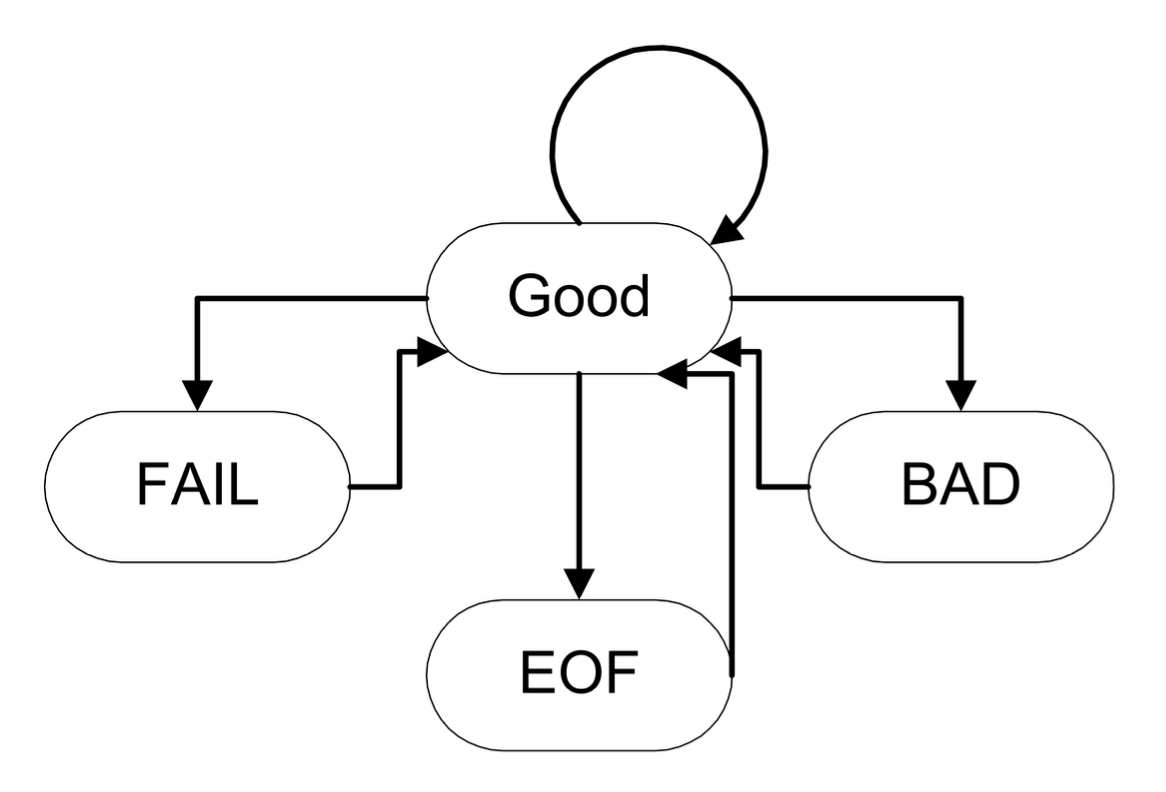
Status Check:
good(): Returnstruewhen the state is valideof(): ReturnstruewhenEOFis encounteredfail(): Returnstruewhen a minor failure or bad state occursbad(): Returnstruewhen the state is badclear(): Used to reset the error state togood()
int n; |
11.3 File Streams
ifstreamandofstreamconnect files with streamsNeed to include the header file:
#!cpp #include <fstream>Use modes to specify how to create the file:
| Mode | Purpose |
|---|---|
ios:app |
Append |
ios:ate |
At end |
ios:binary |
Handle binary I/O |
ios:in |
Open file for input |
ios:out |
Open file for output |
Related stream operations:
open(const char *, int flags, int): Open the specified fileis_open(): Check if the file is openclose(): Close the streamfail()
int main() { |
int inputFileStreamExample() { |
11.4 I/0 Stream Buffers
Every I/O has a stream buffer
The class streambuf defines the abstraction of this buffer
The member function rdbuf() returns a pointer to the stream buffer
<< is overloaded to directly connect buffers
|